



Research project · Code 1261
Data recovery methods and tools
Development of a new method of data recovery from damaged storage media and suitable tools
Computer Systems studied how hard drives and flash memory fail, improved its data recovery methods and developed tools that let computer owners, computer shops and data recovery professionals diagnose and solve storage faults themselves. The project brought three products to market: FW-FXR, Diagnostics for Seagate (DfS) and FileChecker by CS.
- Implementation
- 1 Nov 2013 – 30 Jul 2015
- Total budget
- €48,510
- Public expenditure
- €38,808
- Programme
- Human Resources Development, NSRF 2007-2013

The project «Development of a new method of data recovery from damaged storage media and suitable tools» (code 1261) was implemented under the Action «Strengthening the employment of research personnel in enterprises» of the Operational Programme «Human Resources Development», NSRF 2007-2013, and was co-funded by the European Union (European Social Fund) and Greece. Intermediate Managing Body: General Secretariat for Research and Technology.
Key results
- 3products brought to market: FW-FXR, Diagnostics for Seagate (DfS) and FileChecker by CS
- 1stcomplete kit with dedicated software for the Seagate BSY and 0 MB repair: FW-FXR
- 77%of faulty hard drives recovered in the last 8 months of the project, up from 46% in the first 12 months
- 222faulty hard drives analysed in the laboratory during the project
How storage media fail
The project studied in depth how hard drives and flash memory store data, how they fail and which procedures and tools recover their data. The improved recovery methods that came out of this work became part of the data recovery services of the Computer Systems laboratory and of its proprietary know-how.
In a hard drive, a microcontroller on the circuit board runs the firmware, which is stored partly in a chip on the board and partly on the platters, in the service area of the drive. The faults fall into distinct families: logical damage, failing heads, damaged circuit boards, firmware faults, seized motors, heads stuck to the platters and damaged media. Each family calls for its own procedure, from specialised software and firmware-level work to head replacement in a clean room.
For flash memory, where a failed controller usually takes its firmware with it, the team developed software tools that analyse the raw contents of the memory chips and reveal how the controller distributes the data, the key step in rebuilding the data image.
Recovery results
During the project the laboratory analysed 222 faulty hard drives and recorded, for each fault family, how often it occurs and how often the data was recovered. The share of drives recovered rose from 46% in the first 12 months to 77% in the following 8 months, as know-how and experience built up and the methods improved.
Hard drives recovered
- First 12 months
- Last 8 months
- All hard drives
- Heads
- Circuit board
- Firmware
- Logical errors
- Heads stuck to the platters
Show the data table
| Fault family | First 12 months | Last 8 months |
|---|---|---|
| All hard drives | 46% of 148 | 77% of 74 |
| Heads | 28% of 71 | 57% of 35 |
| Circuit board | 80% of 17 | 100% of 9 |
| Firmware | 93% of 14 | 100% of 5 |
| Logical errors | 92% of 12 | 92% of 12 |
| Heads stuck to the platters | 100% of 7 | 100% of 7 |
FW-FXR
Seagate’s Barracuda 7200.11 and 7200.12 drives sold in very large numbers. A defect in some firmware versions makes a drive lock up while its mechanics and electronics remain intact: the drive stays busy (BSY) and the BIOS cannot see it, or it appears with a capacity of 0 MB. Seagate released firmware updates, yet hundreds of thousands of affected drives were already in use, and the fault can appear at any moment in a drive’s life.
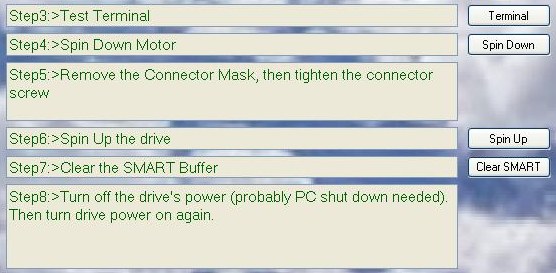
The repair is a delicate hardware procedure. The circuit board is isolated from the heads with a mask, receives serial commands and is reconnected while the drive is powered, so an error in the procedure can damage the board, the head preamplifier or the motor. Many owners hesitate to send their drive to a laboratory, because of the cost, the confidentiality of their data or the risks of shipping.
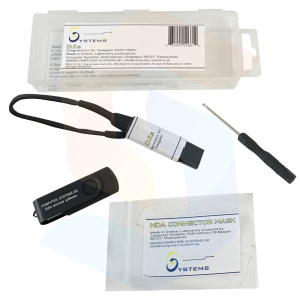
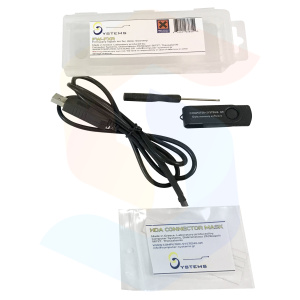
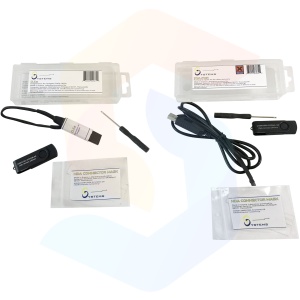
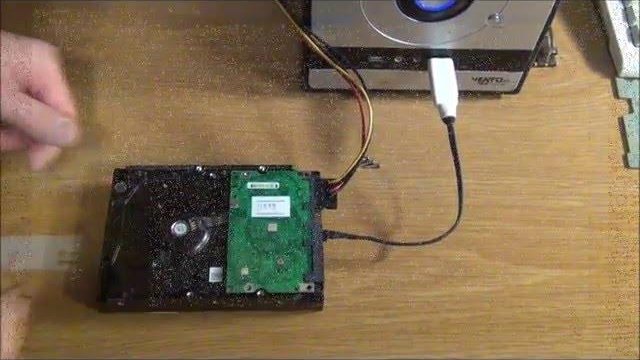
FW-FXR was the first complete kit for this repair, designed so that owners with no knowledge of electronics can restore the drive to working condition themselves. Along with the USB adapter that connects the computer to the drive’s serial port, it holds the HDA connector mask, a Torx screwdriver, step-by-step instructions and dedicated software that guides the user and sends every command at the press of a button, with no commands to type.

FW-FXR brings back the drive itself, so the owner regains both the data and the drive. It works with Seagate Barracuda 7200.11, 7200.12 and ES.2 drives and with Maxtor DiamondMax 22 and 23 drives, and by 2015 it had been sold in dozens of countries.
From one kit to a way of working
The success of FW-FXR shaped the way Computer Systems designs its products: as complete DIY kits that hold everything the job needs. The same approach later led to remote repair and data recovery services built on matching kits, developed in the research project «Development of equipment and software for remote computer repair and data recovery services».
Diagnostics for Seagate (DfS)
DfS supports computer shops and technicians who carry out data recovery alongside their other work, as well as experienced users. The team focused on Seagate, one of the largest hard drive manufacturers.
DfS turns the diagnosis of a Seagate drive into a clear picture. It shows the resistance of every head and the distribution of bad sectors per head in graphs, processes these values and gives a diagnosis. The user can then decide whether a recovery on site is safe or the drive should go to a specialised laboratory, which protects the drive from further damage. Owners can also examine their drive themselves, which builds trust in a laboratory’s diagnosis when a costly recovery, such as a head replacement, is proposed.
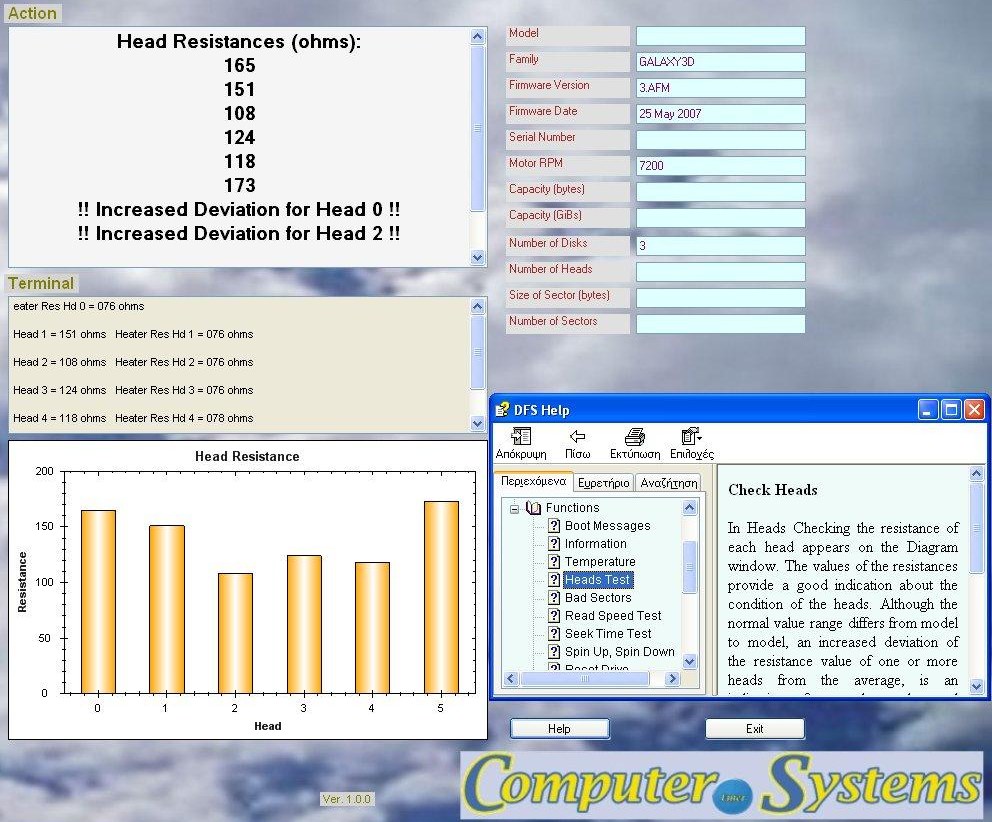

DfS also repairs many known Seagate firmware faults. Its functions include head checks, bad and reallocated sectors per head, read speed tests per head, seek tests, the BSY and 0 MB fixes, G-List and Slip List operations and translator regeneration. The adapter detects the drive architecture automatically and can adjust its output voltage to match the drive, and DfS works with Seagate SATA drives of both the F3 and the earlier Barracuda architecture.
Paired with data recovery software, DfS helps recover nearly 80% of the Seagate firmware cases that need no component replacement.
DfS in action
FileChecker by CS
Partial recovery is common. Bad sectors leave files damaged, damaged media leave gaps, and because a drive writes its data alternately across all its surfaces in zones of a few MB to a few GB, one damaged surface leaves holes in thousands of files. A recovery usually returns hundreds to many thousands of files, and checking each one by hand takes an impractical amount of time.
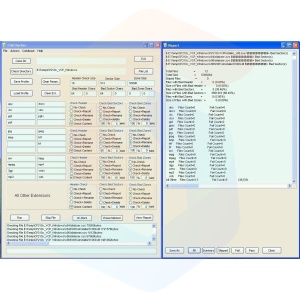
FileChecker by CS sorts the recovered files automatically. It checks each file’s header against an editable database of valid headers, finds the bad sector and bad zone marks that the imaging tool leaves in the data, and applies the rules the technician sets for each file type: a single bad sector barely affects a song or a film, can ruin a photo and can alter the content of a document. Damaged files are deleted, renamed with a .badfile extension or listed in the report, as the technician chooses.

For technicians
FileChecker runs unattended, even overnight, and delivers a summary per file type. The time spent checking files after a recovery shrinks to a review of the report, and the result reaches the customer sooner.
For customers
FileChecker protects the confidentiality of the customer’s data: the software checks every file automatically, so the customer’s documents, photos and videos stay private. The customer receives the working files and can accept the recovery knowing exactly what it contains.
FileChecker is available as a fully functional 30-day trial, and a license key unlocks it for permanent use. See FileChecker by CS
The tools of the project
- Firmware repair kitFW-FXRRestores Seagate and Maxtor drives locked in BSY or showing 0 MB, step by step, with everything the repair needs.View product
- Diagnosis and firmware toolsDiagnostics for Seagate (DfS)Graphical head and sector diagnostics with firmware functions for Seagate SATA drives.View product
- Post-recovery file checkFileChecker by CSSorts recovered files automatically and reports the damaged ones, saving time and protecting confidentiality.View product
All three tools also come together as the CSGR Data Recovery Tools Set.
Computer Systems produces its tools and materials in Thessaloniki, and its products have been exported to more than 110 countries.
Explore the productsSeagate, Barracuda, Maxtor and DiamondMax are trademarks or registered trademarks of Seagate Technology LLC or one of its affiliated companies. YouTube is a trademark of Google LLC. These names appear on this page to identify the hard drives that the tools work with and the videos that show the tools in use. FW-FXR, Diagnostics for Seagate (DfS) and FileChecker by CS are products of Computer Systems. All other trademarks are the property of their respective owners.